For Distributors
New business development, portfolio management, and news distribution in one app.
For Distributors
New business development, portfolio management, and news distribution in one app.
For Distributors
New business development, portfolio management, and news distribution in one app.
Territory management
Putting brand logos on a website is not business development. Showing where you are open for new partners on a map is.
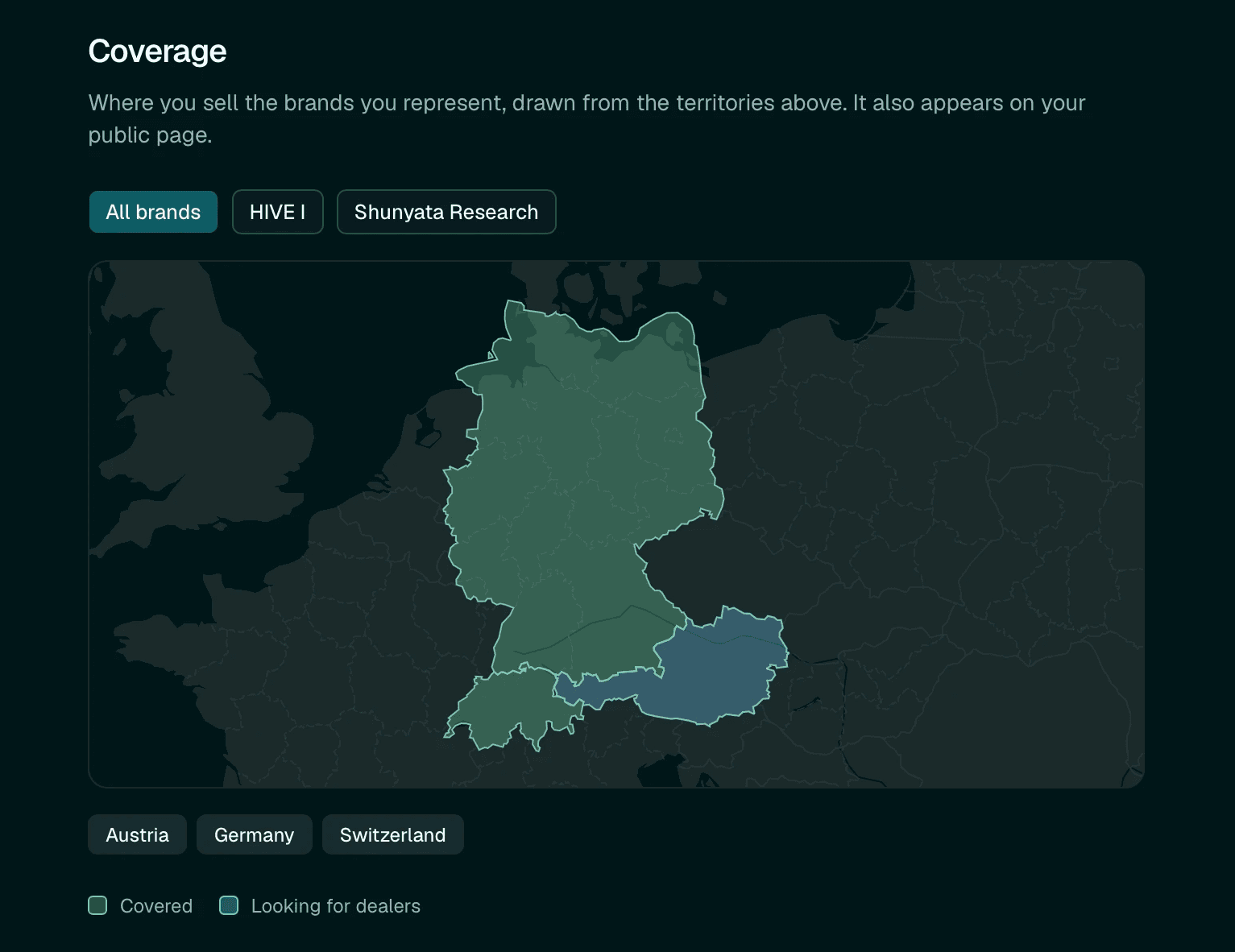
Territories is how you grow your dealer network. For each brand you carry, the map shows where you are present and where you are looking for dealers.

You represent a brand in twelve countries and have dealers in eight. The other four show as open. A dealer in Zurich who wants to carry that brand sees you need someone in Switzerland. The brand's manufacturer sees the same map and knows where you are building.
The map covers every brand in your portfolio. When a manufacturer verifies a territory, it shows on your public profile.
Dealers who claim to carry your brands show up in dealer management. You approve or decline, and that sets their standing on the platform.

Territory management
Putting brand logos on a website is not business development. Showing where you are open for new partners on a map is.
Territories is how you grow your dealer network. For each brand you carry, the map shows where you are present and where you are looking for dealers.
You represent a brand in twelve countries and have dealers in eight. The other four show as open. A dealer in Zurich who wants to carry that brand sees you need someone in Switzerland. The brand's manufacturer sees the same map and knows where you are building.
The map covers every brand in your portfolio. When a manufacturer verifies a territory, it shows on your public profile.
Dealers who claim to carry your brands show up in dealer management. You approve or decline, and that sets their standing on the platform.
Territory management
Putting brand logos on a website is not business development. Showing where you are open for new partners on a map is.
Territories is how you grow your dealer network. For each brand you carry, the map shows where you are present and where you are looking for dealers.
You represent a brand in twelve countries and have dealers in eight. The other four show as open. A dealer in Zurich who wants to carry that brand sees you need someone in Switzerland. The brand's manufacturer sees the same map and knows where you are building.
The map covers every brand in your portfolio. When a manufacturer verifies a territory, it shows on your public profile.
Dealers who claim to carry your brands show up in dealer management. You approve or decline, and that sets their standing on the platform.
Brand & product management
Dealers need to see what they can get from you. Your portfolio on Pure Neo makes that browsable: which brands you represent, and which products from each brand you actually carry.
Add a brand and its full catalog comes along. Mark what you don't carry, and the result is an accurate, always-current picture of what is available through you. No phone call required.
You carry multiple brands, so you can curate complete systems that combine them. Setups let you show which amp pairs well with which speakers across the brands you carry. That expertise becomes content on your profile.
Brand & product management
Dealers need to see what they can get from you. Your portfolio on Pure Neo makes that browsable: which brands you represent, and which products from each brand you actually carry.
Add a brand and its full catalog comes along. Mark what you don't carry, and the result is an accurate, always-current picture of what is available through you. No phone call required.
You carry multiple brands, so you can curate complete systems that combine them. Setups let you show which amp pairs well with which speakers across the brands you carry. That expertise becomes content on your profile.
Brand & product management
Dealers need to see what they can get from you. Your portfolio on Pure Neo makes that browsable: which brands you represent, and which products from each brand you actually carry.
Add a brand and its full catalog comes along. Mark what you don't carry, and the result is an accurate, always-current picture of what is available through you. No phone call required.
You carry multiple brands, so you can curate complete systems that combine them. Setups let you show which amp pairs well with which speakers across the brands you carry. That expertise becomes content on your profile.
AI Readiness Check
There is a picture of every brand you represent inside the major AI models right now, assembled from whatever made it onto the internet. Nobody wrote it, nobody approved it. It might be wrong, thin, outdated, or empty. The model does not know the difference between a reviewer's grudge from 2014 and current flagship specs. Every time a buyer asks an AI assistant for a recommendation, that picture is what answers.
The Readiness Check opens the box. Run it for the brands you carry, for brands you are considering, or for your own business.
AI Readiness Check
There is a picture of every brand you represent inside the major AI models right now, assembled from whatever made it onto the internet. Nobody wrote it, nobody approved it. It might be wrong, thin, outdated, or empty. The model does not know the difference between a reviewer's grudge from 2014 and current flagship specs. Every time a buyer asks an AI assistant for a recommendation, that picture is what answers.
The Readiness Check opens the box. Run it for the brands you carry, for brands you are considering, or for your own business.
AI Readiness Check
There is a picture of every brand you represent inside the major AI models right now, assembled from whatever made it onto the internet. Nobody wrote it, nobody approved it. It might be wrong, thin, outdated, or empty. The model does not know the difference between a reviewer's grudge from 2014 and current flagship specs. Every time a buyer asks an AI assistant for a recommendation, that picture is what answers.
The Readiness Check opens the box. Run it for the brands you carry, for brands you are considering, or for your own business.
News & Press Releases
In many cases you are the one communicating for the brands you carry. The manufacturer builds the product; you bring it to your market. News & Press Releases is where you do that on Pure Neo.
Announce new product availability in your territory, regional launches, trade shows where you are present, or a new dealer joining the network. That last one is business development in public: it signals to other dealers that the network is growing, and to the brand that you are active. Trade shows work the same way. You are present at a regional show representing these brands, and your network should know.
Brands often don't communicate at the regional level. You fill that gap. And your audience is different from theirs: dealers and local enthusiasts, not the global hi-fi world.
Dealers and reviewers who follow the brands you distribute see your updates in their feed automatically. Direct reach to the people who matter most to a distributor.
News & Press Releases
In many cases you are the one communicating for the brands you carry. The manufacturer builds the product; you bring it to your market. News & Press Releases is where you do that on Pure Neo.
Announce new product availability in your territory, regional launches, trade shows where you are present, or a new dealer joining the network. That last one is business development in public: it signals to other dealers that the network is growing, and to the brand that you are active. Trade shows work the same way. You are present at a regional show representing these brands, and your network should know.
Brands often don't communicate at the regional level. You fill that gap. And your audience is different from theirs: dealers and local enthusiasts, not the global hi-fi world.
Dealers and reviewers who follow the brands you distribute see your updates in their feed automatically. Direct reach to the people who matter most to a distributor.
News & Press Releases
In many cases you are the one communicating for the brands you carry. The manufacturer builds the product; you bring it to your market. News & Press Releases is where you do that on Pure Neo.
Announce new product availability in your territory, regional launches, trade shows where you are present, or a new dealer joining the network. That last one is business development in public: it signals to other dealers that the network is growing, and to the brand that you are active. Trade shows work the same way. You are present at a regional show representing these brands, and your network should know.
Brands often don't communicate at the regional level. You fill that gap. And your audience is different from theirs: dealers and local enthusiasts, not the global hi-fi world.
Dealers and reviewers who follow the brands you distribute see your updates in their feed automatically. Direct reach to the people who matter most to a distributor.
Dashboard
Once you are in, everything lives in one place: what needs attention, how complete your presence is, and where to pick up next.
Dashboard
Once you are in, everything lives in one place: what needs attention, how complete your presence is, and where to pick up next.
Dashboard
Once you are in, everything lives in one place: what needs attention, how complete your presence is, and where to pick up next.
Never miss an update!
Subscribe for platform news and what lands next.
By clicking Subscribe Now you're confirming that you agree with our Terms & Conditions.

Built by humans with AI in Berlin, New York, and Vienna.
© 2026 Neo Digital Magazines llc. All rights reserved.
Never miss an update!
Subscribe for platform news and what lands next.
By clicking Subscribe Now you're confirming that you agree with our Terms & Conditions.
Built by humans with AI in Berlin, New York, and Vienna.
© 2026 Neo Digital Magazines llc. All rights reserved.
Never miss an update!
Subscribe for platform news and what lands next.
By clicking Subscribe Now you're confirming that you agree with our Terms & Conditions.
Built by humans with AI in Berlin, New York, and Vienna.
© 2026 Neo Digital Magazines llc. All rights reserved.